 Yono
YonoUpdated 24 October 2026.
Yono App Download for Android
This is the Android download for one file. Download APK saves one file: yono.apk, label Yono, version name 1.0.1, 2,569,509 bytes, read on 24 October 2026.

What you are downloading
The button on this page saves one package. It does not open a catalogue, and it does not offer a second version beside 1.0.1. The website guide and the game guide send their Download buttons to this same address, so the three previews cannot drift into three different files.
A phone may round 2,569,509 bytes to about 2.5 MB in the notification. That rounding still describes this file. A transfer that finishes far below that size stopped early. Delete the short copy and use the button again.
How the button behaves
Download is a file response. The browser should offer to save yono.apk, or it should hand the file to Android’s installer. It is not a new tab on the games channel. If you wanted the channel without an install, use Play. Play opens the channel and saves nothing to the app drawer.
Keep the file name. Renaming it does not change the label Android will show, and it makes the size harder to compare. The size is the check that the transfer finished. The version name is the check after install, on the system app screen.
Not the banner inside the channel
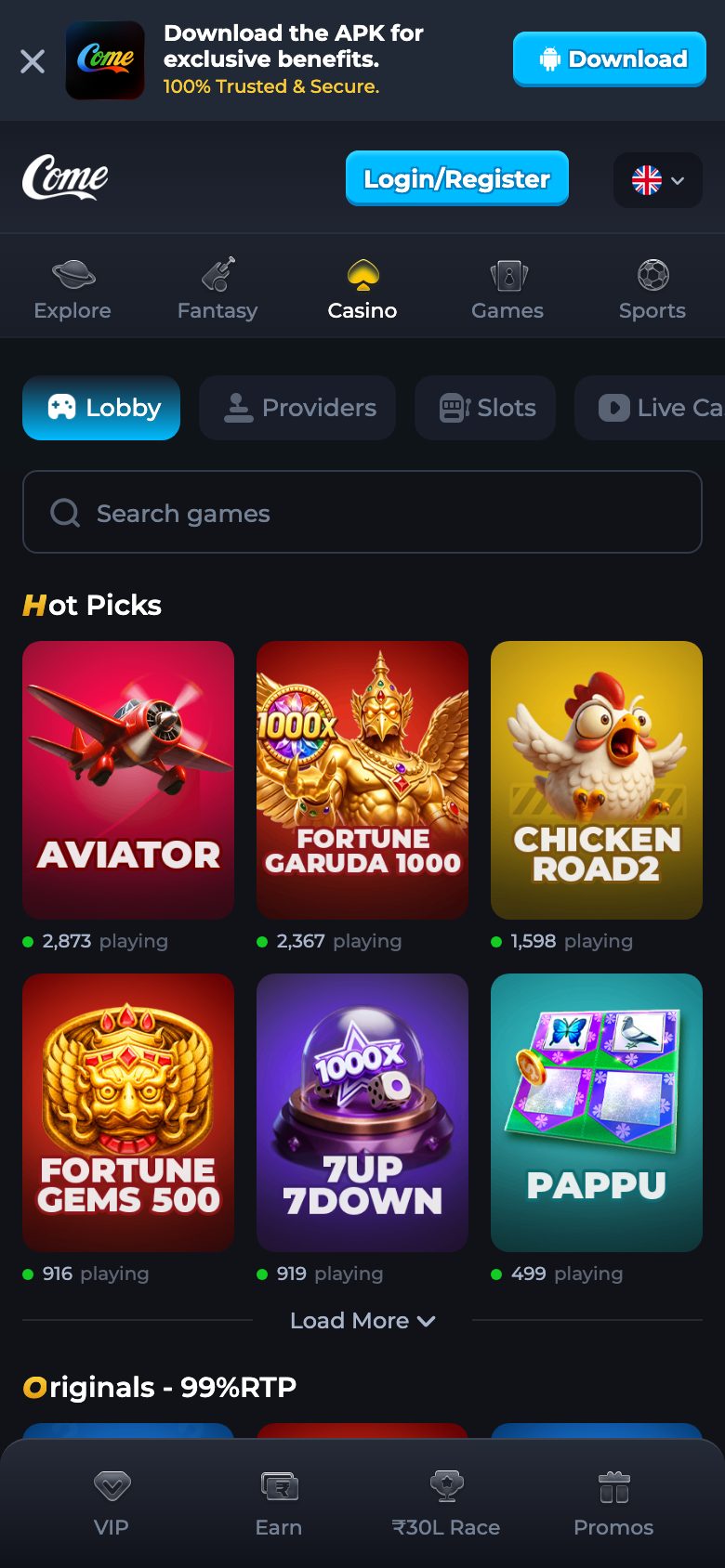
The channel has its own banner with a button that also says Download. That banner is a control on the channel page. This preview does not measure the file that banner saves, and it does not treat the banner’s marketing lines as a description of yono.apk. If you followed the banner, you do not yet have the copy identified here.
Come back to this page and use Download APK when you want the measured file. Then read the size before you tap install.
After the file is on the phone
Open the installer only when the size matches. Android shows the name it is about to place. Expect Yono. After it finishes, open the system app info and read the version name. Expect 1.0.1. Those two readings are the whole identity. The steps are on name and version.
Then open the icon and log in. On this build the first field is “Mobile No. (omit country code)”. The app says registration with e-mail is not currently supported. Use the mobile number. The browser form, if you use Play instead, still accepts an email. That split is on email or mobile login.
Login belongs to the app, not to this page
This preview never asks you to type a code into the guide. Enter Verification Code is a screen inside the app or on the channel. The code stays there. A caller who wants it is not using a phone number published here, because none is published. The code guide says the same thing in steps.
Too many failed attempts produce a line that tells you to try again in one hour, or to contact Customer Service. Customer Service is a label inside the channel, not a desk on this preview.
There is no iPhone build
yono.apk is an Android package. An iPhone cannot install it. On an iPhone, use Play and stay in the browser. The channel’s own strings name Safari Browser and Google Chrome as browsers. They do not name an Apple store page, and this guide will not invent one. Details are on no iPhone build.
When the install stops
A short file, a phone that is not allowed to install unknown apps, a full storage bar, or a signature conflict can each stop the installer. None of them is fixed by searching the web for another apk. The install guide walks those four stops.
A conflict in particular means this file will not install over a different signature. Android also will not replace a newer install of the same app with this older copy. Leave the other app where it is. Already on the phone is the page for that message.
A bank icon is a different app
SBI YONO can already be on the phone. It is the bank’s app. This file does not become the bank app, and it does not update it. If the icon you opened has a bank name on the system screen, you opened the bank. The games file, once installed, reads Yono and 1.0.1. The website name guide makes the same distinction from the other side.
What the app opens
Past login, the navigation labels read on 24 October 2026 include Features, Casino, Fantasy, Rummy, Refer & Earn, VIP, Promotions, and Deposit. Original games named beside Play Coins are Dice and Mines. Crash History and Plinko History are titled screens. The game guide walks those one at a time. This download page does not turn them into a strategy.
Game history splits into Casino, Rummy, and Sports. Transaction History lists Deposit, Withdrawal, Bonus, and Cash. Those are labels for after you are in. They are not part of the installer.
Three guides, one file
The website answers which link is the channel. This app site answers which file Android should install. The game site answers which labels appear after login. Download on the other two sites is this file. There is not a “website apk” and a “game apk” with different sizes.
A short check before you trust a chat file
A file forwarded in chat can reuse the name yono.apk. Compare the size with 2,569,509 bytes, and after any install compare the version name with 1.0.1. If either differs, that chat file is outside this page. Do not keep looking for a closer match on other sites. The button above is the copy this guide will stand behind.
Age
The app opens real-money play. These pages are for adults, 18 and over. If you are under 18, do not download the file and do not press Play. The responsible play note stays short on purpose.
What the download page leaves out
No welcome amount, no minimum withdrawal, no payout time, no promo code, no package name, and no Android minimum version. No table of other people’s file sizes. The Refer & Win screen inside the channel shows its own amount. That amount is not copied here. The only figures on this page are the version name 1.0.1 and the size 2,569,509 bytes.
A sensible order
Read the size, press Download APK, wait for the full file, read the label on the installer, finish install, read the version name, then log in with the mobile number and the verification code. If any step disagrees with the sentence in front of it, stop on that step’s guide instead of skipping ahead.
Questions
What does the download button install?
yono.apk, label Yono, version name 1.0.1, 2,569,509 bytes.
Why does the phone say about 2.5 MB?
That is a phone rounding the same 2,569,509 bytes. A much smaller file is an incomplete transfer.
Is the channel’s Download banner this file?
This page does not say so. Use the Download APK button here for the measured copy.
Can I install it on an iPhone?
No. There is no iPhone build. Use Play in the phone browser.
The installer mentions a conflict. What now?
Stop. This file will not install over a different signature, and this guide does not ask you to remove the other app.